Reach
Reach is the audit view of who gets what. Every profile — Web Control, Data Control, Browser Settings, Browser Routing, Extensions, Sensor, AI Audit — carries its own Audience tab, and this page exists to answer, across all of them at once: who has this rule, and what protections does this user effectively get?
Find this section at Deploy > Reach.
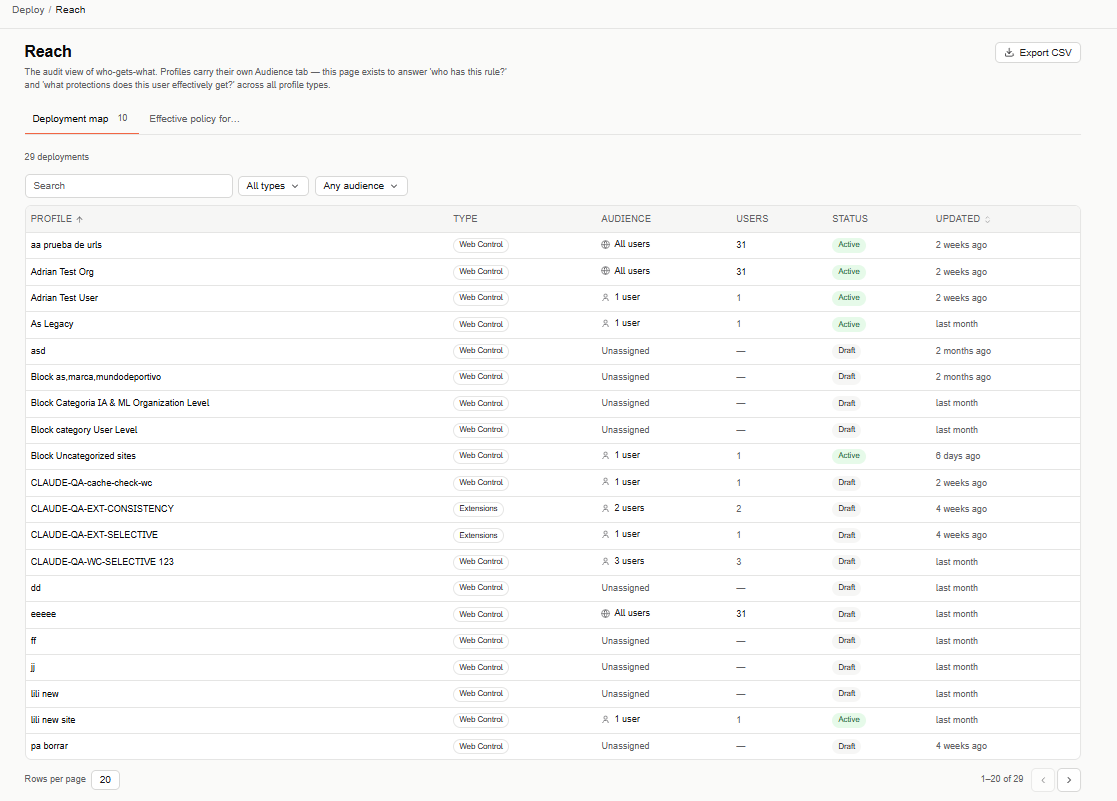
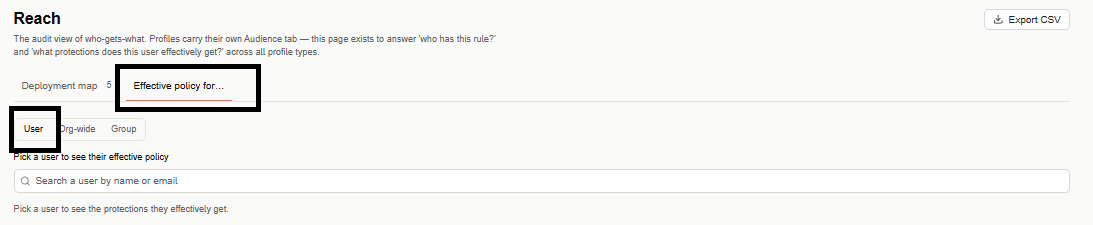
Reach has two tabs: Deployment map and Effective policy for....
Deployment map
Lists every configured profile in your organization, across every profile type.
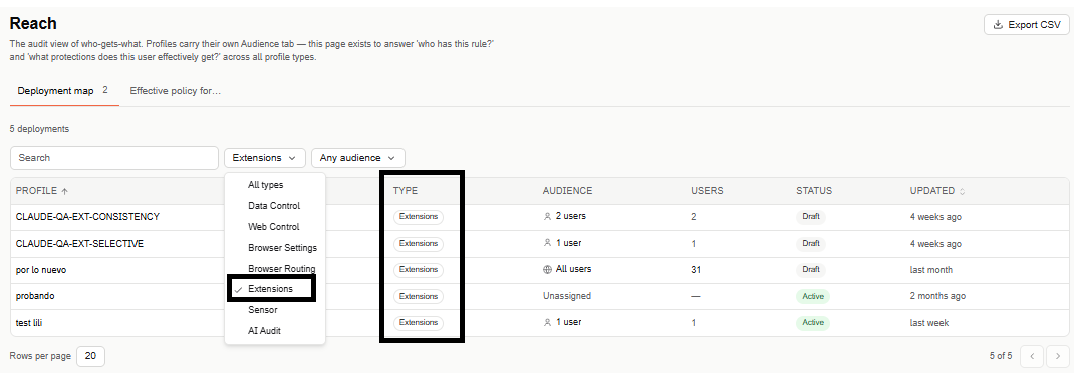
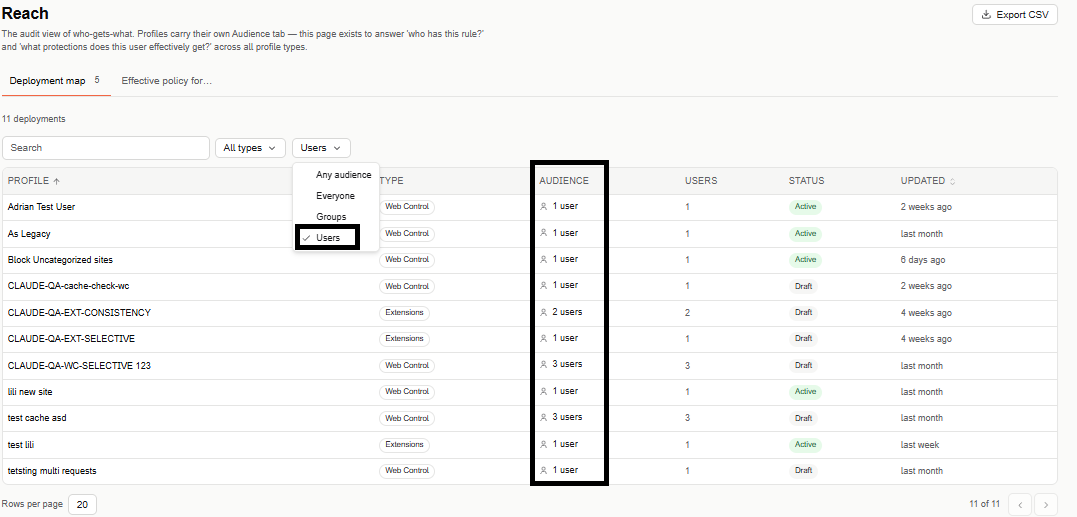
Narrow the list with a free-text search, a Type filter (All types, Data Control, Web Control, Browser Settings, Browser Routing, Extensions, Sensor, AI Audit), and an Audience filter (Any audience, Everyone, Groups, Users).
The table is paginated (20 rows per page by default) and lists one row per profile:
- Profile — the profile's name.
- Type — which surface it belongs to (Web Control, Data Control, Browser Settings, Browser Routing, Extensions, Sensor, AI Audit).
- Audience — who it's assigned to (Everyone, a number of users, or a group), or Unassigned if it hasn't been given an audience yet.
- Users — how many users it currently covers.
- Status — Active or Draft.
- Updated — when the profile last changed; sortable.
Effective policy for...
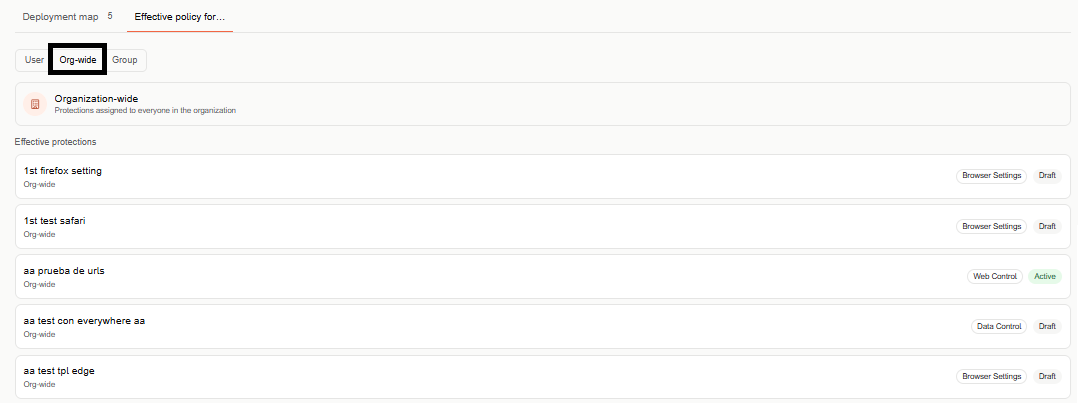
Flips the question around: instead of listing profiles, pick a target and see every protection that actually applies to it. Switch between User, Org-wide, and Group to change what you're picking.
- User — search a user by name or email; once selected, shows every protection they effectively get.
- Org-wide — shows the protections assigned to everyone in the organization as a single Effective protections list, each entry with its type and status.
- Group — same as User, but scoped to a group instead of an individual.
Export
Select Export CSV (top right) to download the Deployment map as a CSV file.