Lookup
Lookup searches for an extension by ID, name, or store URL across Chrome, Edge, and Firefox — the fastest way to check one extension's risk profile without paging through Browse.
Find this section at Fleet > Extensions Catalog > Lookup. You can also reach it from Browse by selecting Lookup by ID.
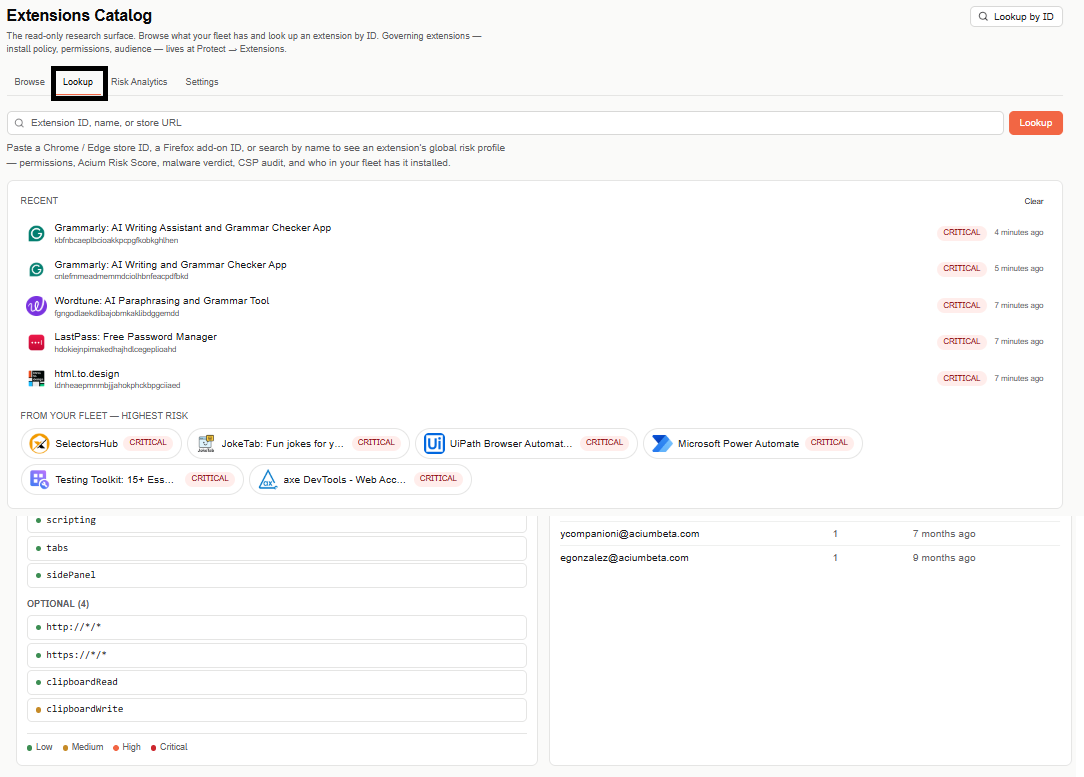
Extensions Catalog has four tabs — Browse, Lookup, Risk Analytics, and Settings — for researching, searching, and analyzing extensions across your fleet.
Paste a Chrome/Edge store ID, a Firefox add-on ID, or search by name, then select Lookup. Selecting an extension from any list — Recent, highest-risk, or your search results — opens its global risk profile: permissions, Acium Risk Score, malware verdict, CSP audit, and who in your fleet has it installed.
Before you search
- Recent — extensions you've looked up recently, with a Clear link to reset the list.
- From your fleet — highest risk — quick shortcuts to the riskiest extensions currently installed across your fleet.
Search results
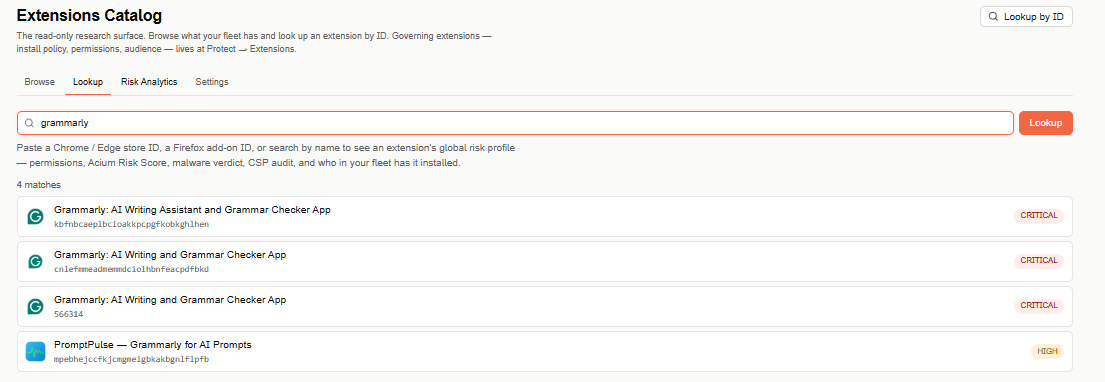
Results list every matching extension across all three browsers, each with its name, ID (or store ID), and risk severity. Select any result to open its details.