Activity
Activity shows every allow/block decision the extension made in your direct clients, in one list, labeled by client. It's the same data as each client's Web Activity, across all of them.
Find this page at Partner Console > Monitor > Activity.
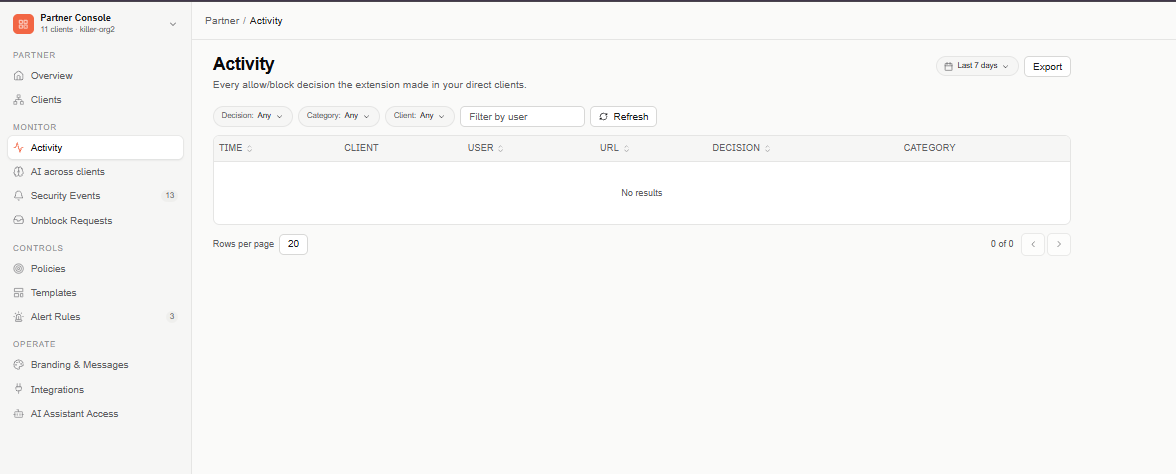
Filters
- Date range (top right) — Last 7 days by default.
- Decision — Allowed or Blocked.
- Category — the site's category.
- Client — Any client, or one direct client.
- Filter by user — find a specific user.
Select Refresh to reload the list.
Activity table
The table is paginated (20 rows per page by default), newest first:
- Time — when the request was evaluated.
- Client — the client the request came from.
- User — who made the request.
- URL — the full URL that was requested.
- Decision — Allowed or Blocked.
- Category — the site's category, when classified.
Select the Time, User, URL, or Decision header to sort by that column. Selecting a row doesn't open the client — to look into a client's activity in detail, open the client from Clients and go to its Web Activity.
Export
Select Export (top right) to download the rows as a CSV file, with a Client column after Time.
Access
Only administrators who can view Web Activity see this page.