AI across clients
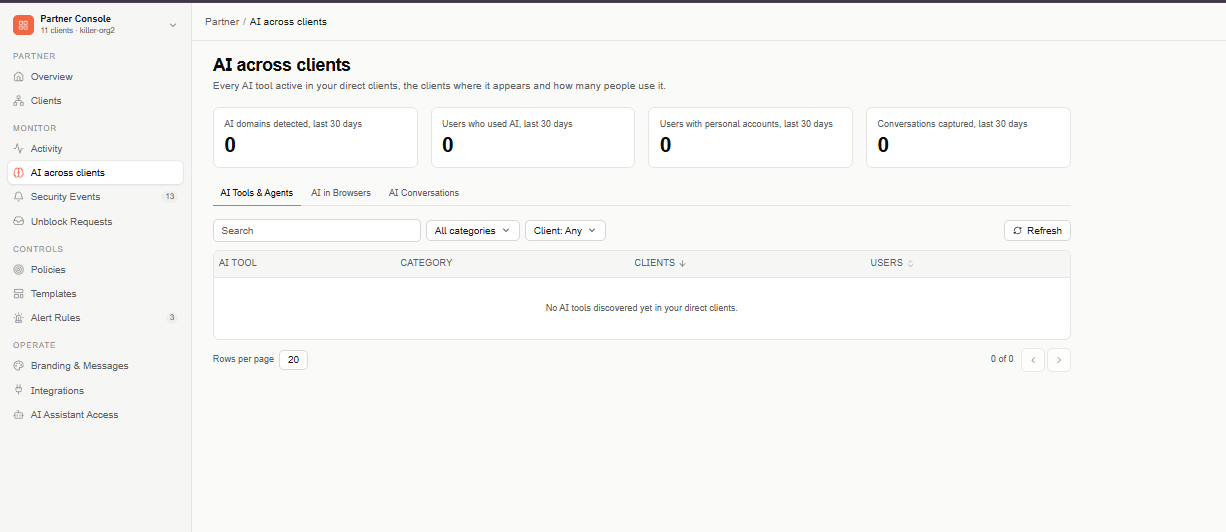
AI across clients shows every AI tool active in your direct clients, the clients where it appears, and how many people use it.
Find this page at Partner Console > Monitor > AI across clients.
What's counted
Every figure on this page covers your direct clients only — not your partner organization's own data, and not clients below your direct clients. Clients that turned off partner access aren't counted, and a notice tells you how many were left out.
Overview metrics
Four metrics above the tabs, all for the last 30 days:
- AI domains detected — distinct AI domains used across your clients. A domain used at several clients counts once.
- Users who used AI — distinct people who used AI. A person who used AI at several clients counts once.
- Users with personal accounts — people who used AI with a personal account.
- Conversations captured — AI conversations captured across your clients.
If the metrics can't be loaded, they show Not available — never 0.
AI Tools & Agents
The AI tools detected at your clients — the same data as each client's AI Tools & Agents, combined:
- AI Tool — the tool's name.
- Category — the tool's category.
- Clients — the clients where the tool appears.
- Users — the total users of the tool across those clients.
The table is sorted by number of clients, then users. Use the search box, the category filter, and the Client filter to narrow it, and select Refresh to reload.
AI in Browsers
The AI domains visited in the browser at your clients over the last 30 days — the same data as each client's AI in Browsers, combined: Domain, Category, Clients (where the domain appears), and Users.
AI Conversations
- A chart of conversations captured over the last 12 weeks across your clients, one bar per week. Hover a bar to see its dates and count.
- The top 5 clients by conversations captured in the last 30 days.
This tab shows totals only — no conversation content. To read a conversation, open the client from Clients and go to its AI Conversations.
Access
The AI in Browsers and AI Conversations tabs, and their metrics, are shown only to administrators who can view those pages in a client's console.