AI in Browsers
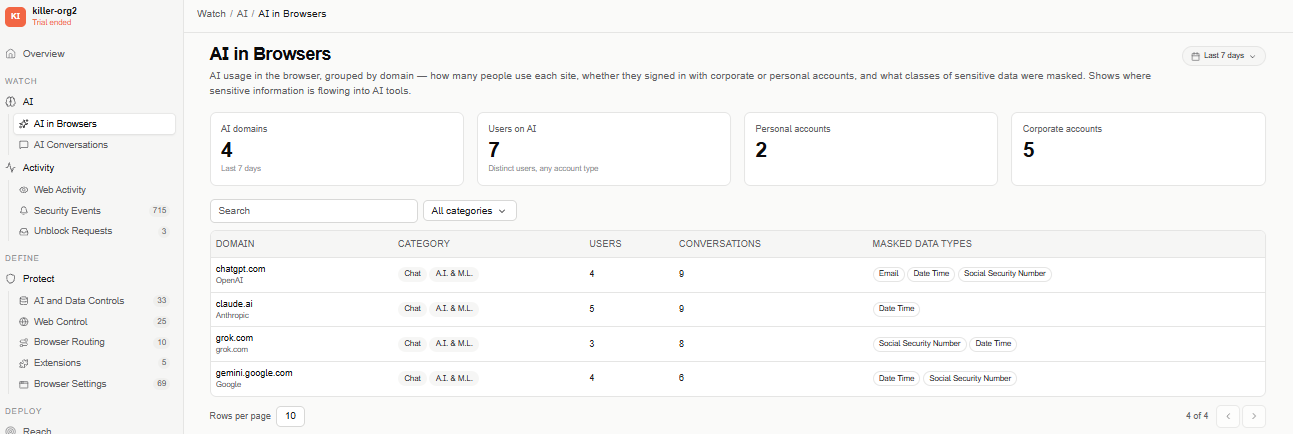
AI in Browsers aggregates AI usage in the browser by domain — how many people use each site, whether they signed in with a corporate or personal account, and what classes of sensitive data were masked. It shows where sensitive information is flowing into AI tools.
Find this section at Watch > AI > AI in Browsers.
Only admins can see this view.
This is one of three AI views under Watch, each covering a different layer:
- AI Conversations — conversation by conversation.
- AI Tools & Agents — AI applications installed on the device (via the sensor) and browser extensions. Doesn't cover the web.
- AI in Browsers (this view) — AI usage on the web, aggregated by domain.
Overview metrics
The KPI strip respects whichever date range is selected at the top of the page — the card labels themselves don't name a fixed period. While there's no data captured in range, each KPI shows an empty/zero value, not an error.
- AI domains — total number of distinct AI domains detected in range.
- Users on AI — total number of distinct users who used AI in range, of any account type.
- Personal accounts — how many of those users signed in with a personal account.
- Corporate accounts — how many signed in with a corporate account.
Filters
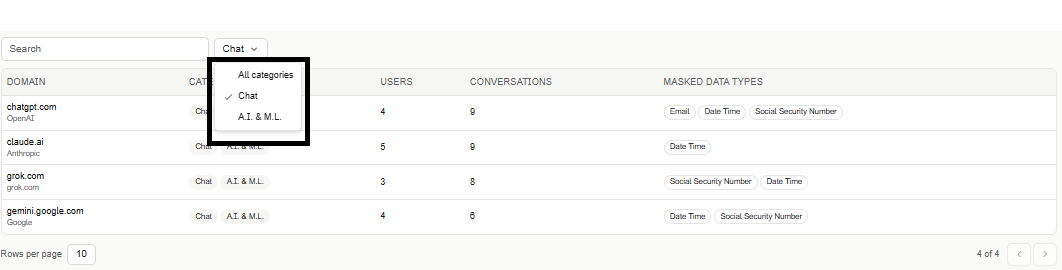
Narrow the table with a free-text search and a Category filter (defaults to All categories).
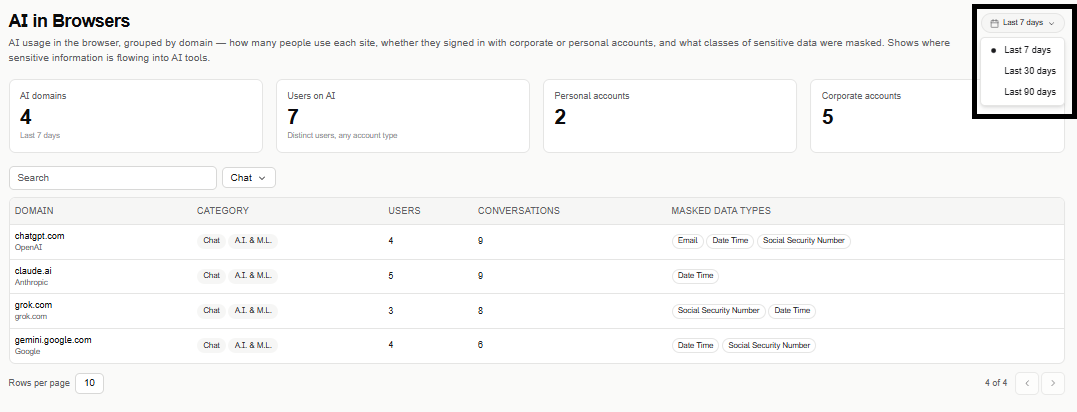
The date range selector (top right) defaults to Last 7 days, and can be widened to Last 30 days or Last 90 days.
Domains table
The table is paginated (10 rows per page by default) and lists one row per AI domain:
- Domain — the site's domain and its vendor.
- Category — the site's category (for example, Chat, A.I. & M.L.).
- Users — how many users accessed that domain in range.
- Conversations — how many conversations were captured for that domain in range.
- Masked data types — the classes of sensitive data (for example, Email, Date Time, Social Security Number) that were actually masked in captured conversations for that domain. This reflects what got substituted, not an independent scan for sensitive data — a domain with no masked conversations shows no chips here even if sensitive data could plausibly appear there.